

Everything you need to know about one of the most important labor documents in Spain! In this post you will discover what exactly is the labor life report (“informe de vida laboral”), when will you need it, the different available ways to download it; and the most important thing: how to read and interpret all the elements that appear in it.
Content
ToggleWhat is the "vida laboral" or working history report in Spain?
The employment history report is a document issued by Social Security which contains a summary of all the companies for which you have worked in Spain, your duration in each of them, the type or modality of contract that you had, and/or if you have been registered as a self-employed individual.
In short, a summary of all the labor relations you have had legally in Spain to date.
This is a very important document and it is usually key in different situations, for example:
- To successfully carry out certain immigration procedures that require this document, such as the family member of an EU citizen visa, or the family reunification process.
- To receive aid or benefits, such as retirement pensions or unemployment benefits.
- To start working in a new company (although not usual, it is possible that this document could be requested)
- To obtain a scholarship
- To start living in a rented apartment or get a mortgage
- To prove your employment situation in arraigo sociolaboral processes
Please note that, in order to request this report, you just need to be registered with Social Security. That is, as long as you have an affiliation number (necessary to download the document, as we will now see), you will be able to carry out the procedure easily.
Who can request it?
Any person registered with Social Security can request it, whether of Spanish or foreign nationality: if you have legal residence in Spain and, therefore, a Social Security affiliation number, you can request your report exactly the same as any Spanish citizen. In addition to the worker himself, the company for which he works or has worked can also request it.
The only requirement, therefore, is to have a membership number (we explain how to get it if you don’t have one).
Would you like to know how? Let’s take a look.
How to obtain your working life report for free
Today there are several ways to apply for working life, all of them completely free. The fastest is through Import@ss, the online Social Security portal, although you can also request it by phone or receive it by postal mail at your home.
Online through Import@ss
Import@ss is the portal of the General Treasury of Social Security (TGSS) from which you can obtain your work life report in a matter of minutes, 24 hours a day. You can access it directly or from the accesses enabled on the website and the Social Security Electronic Headquarters.
To identify yourself within Import@ss, you can use any of these methods:
- Cl@ve (permanent or mobile)
- Digital certificate or electronic DNI
- SMS, if your mobile number is registered with Social Security
Once identified, go to the «Work life and reports» section and select «Report of your work life» to consult it or download it in PDF instantly.
By SMS (if you do not have Cl@ve or digital certificate)
If you do not have Cl@ve or a digital certificate, you can also identify yourself by SMS, as long as your mobile number is registered with Social Security.
Enter your membership number, ID, date of birth, and mobile phone. You will receive a code by SMS that you must enter on the screen, and you will immediately access the report.
By phone
You can also request it by calling the general information telephone numbers of the General Treasury of Social Security: 901 50 20 50 or 91 541 02 91 (this second option may be cheaper depending on your operator).
In this case, the report is not downloaded immediately: it will be sent to you by postal mail to the address listed in the Social Security database.
By postal mail (receive the report at home)
If you prefer to receive the paper document, within Import@ss you can use the option «Receive report at my home», filling in your personal information. The delivery time is indicative and may vary depending on the workload of the Post Office and Social Security.
You can check the status of your application from the portal itself.
Types of work life report
Social Security distinguishes three types of reports, depending on what you need to prove:
- Regular report: collect your entire work history. It is the one requested for most procedures, including immigration procedures.
- Bounded report: shows only a specific period of time, regime or contribution account. It is used, for example, to prove experience in a specific sector.
- Negative report: certifies that you have never had an employment relationship in Spain. It is requested in cases such as applications for certain aid or for recent graduates without previous experience.
Step by step on how to apply online
This is the fastest and easiest way to request your work life report.
First, you will enter the Social Security website, which you can do here. This will be the screen you will see.
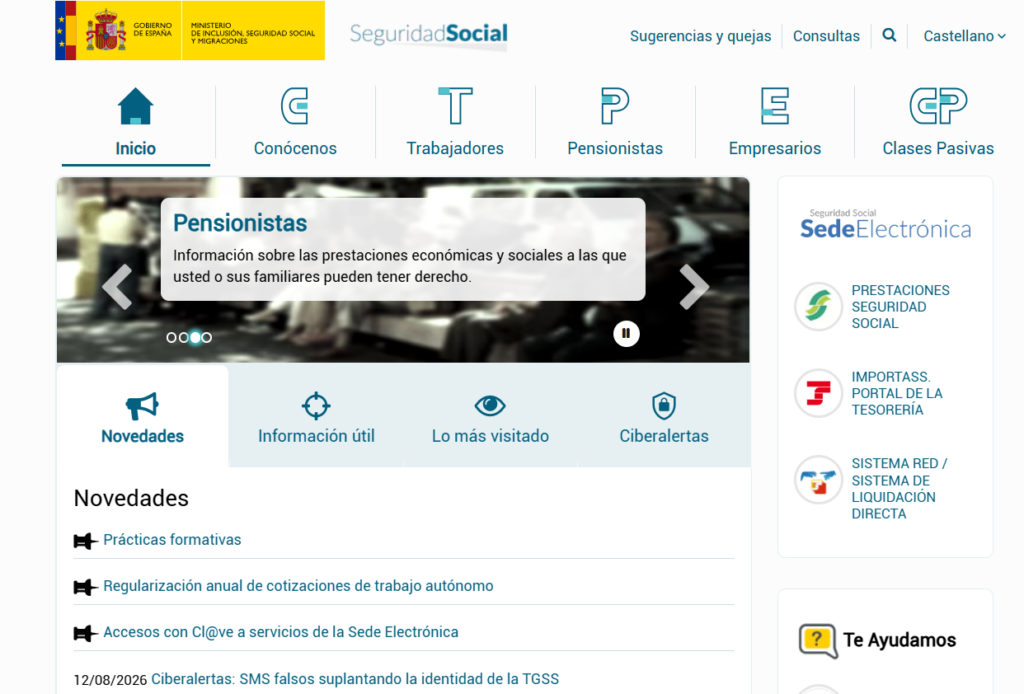
You must enter the section that says “Sede Electrónica” in the right sidebar. Once inside, you will go to the “ciudadanos” section (to introduce yourself as a natural person).
Next you will see that a drop-down menu will open (you can see it in the screenshot we show you).
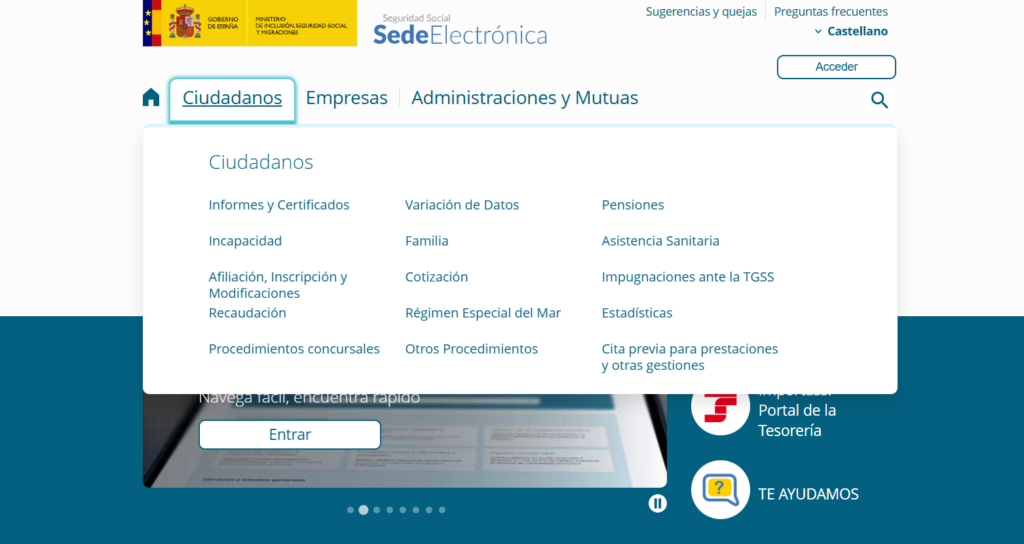
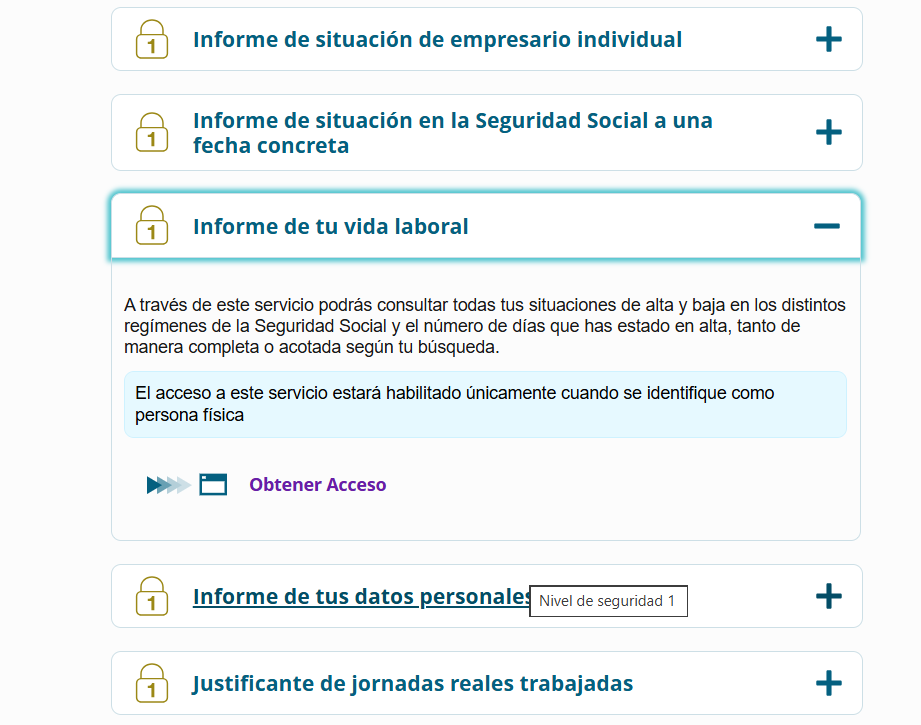
You must enter the reports and certificates section within the “Ciudadanos” tab. Here, we will find a way to obtain our work-life certificate.
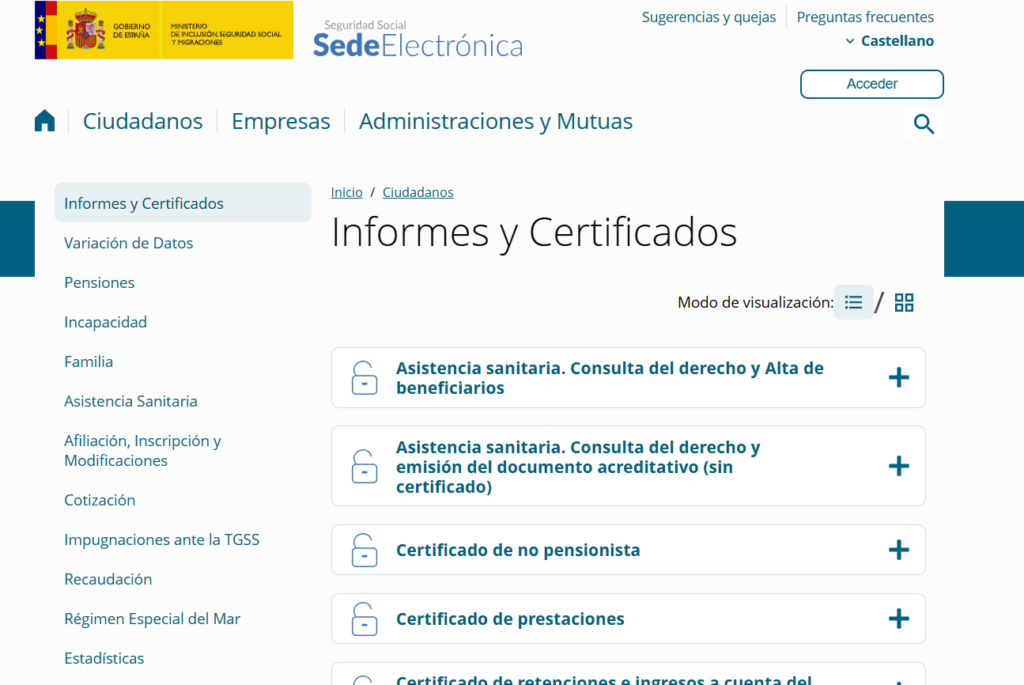
We will select the “Informe de tu vida laboral” and gain access.
This access can be achieved in two ways as we have explained:
- With cl@ve, DNIe, digital certificate… In this case we will click on that option and follow the steps corresponding to each one.
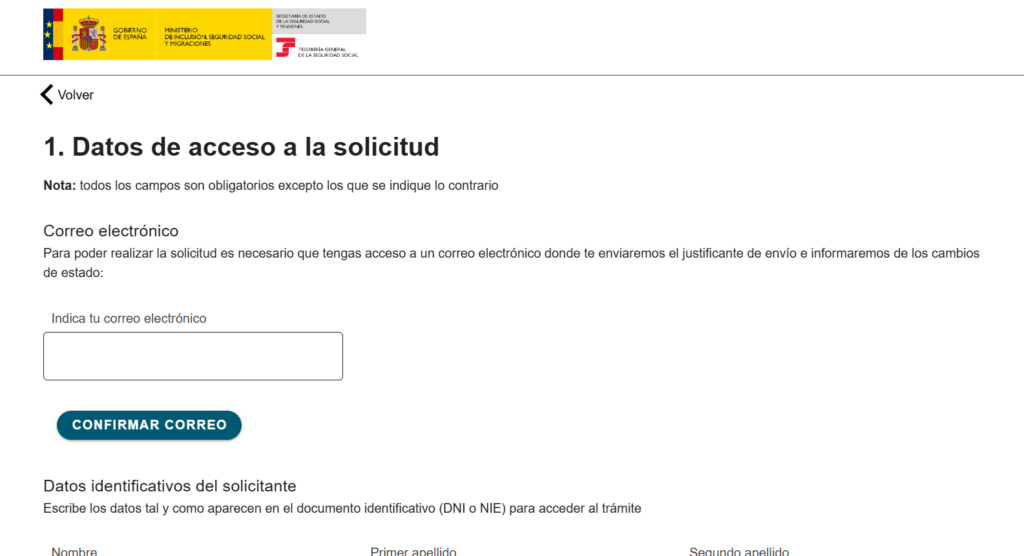
- Without cl@ve, DNIe, digital certificate… In this case, a screen will appear (which you can see below) where we must fill out fields with our information. Then they will send us an SMS that will allow us to download and view our work life report.
How long does it take and how much does it cost?
Requesting the work life report is always free, whether you request it online, by phone or by mail (in the latter case, keep in mind that the phone call may have a cost depending on your operator).
Regarding the waiting time:
- If you identify yourself with Cl@ve, digital certificate, DNIe or SMS, the report is available immediately.
- If you request it by phone or to receive it by postal mail, the deadline is guidance (there is no fixed legal deadline) and depends on the management of Social Security and the Post Office.
What is the meaning of each of its sections?
As we have already mentioned, the vida laboral is a document that contains all the data that Social Security has about you, and we can extract a lot of information from it.
What are the elements that make up this work-life report and what does each one mean?
- Total days we have been registered with Social Security to date. Generally, the number that appears will coincide with reality; although it is possible that there may be discrepancies if part of these days were registered when the online systems did not yet exist. If this is the case, you should file a data claim, providing the information that proves reality. Keep in mind that, if at any time you have had two or more jobs at the same time within the same regime (multi-employment), each day worked counts as a single day of contributions: it is not doubled by having more than one simultaneous job. What may vary in these cases is the contribution base, which is distributed among the companies up to a maximum limit
In the section of situations we find:
- Regime or “régimen”: It will be “general” if you have worked for a company, or “autónomo” if you have worked as a self-employed individual.
- Company or situation assimilated to registration: concept for which you have paid Social Security contributions; for example, the contribution code of the company that hired you, or the code of the province in which you registered as self-employed.
- This last section may also include situations assimilated to registration, such as unemployment benefits, paid and unused vacations, or special agreements.
- Date of registration: the date on which you began to contribute after being registered with Social Security.
- Effective date: may be the same as the date of registration, or later.
- Leave date: date (which does not correspond to sick leaves) that determines when you stop contributing to a particular situation. If there is leave (you are still workig for that company), a horizontal bar will appear.
- TC: Type of employment contract. 100 refers to a full-time permanent contract, and 200 to a part-time contract, for example.
- CTP: part-time coefficient on a working day (if you have worked 8 hours a day, this coefficient will be 100%).
- G.C: professional categories associated with the job.
And this has been the most relevant information about the labor history report, an important document but very simple to understand and request. However, if you have any doubt, our lawyers are at your disposal:
Speak with one of our
immigration lawyers
Not sure which immigration pathway fits your situation? Our legal team will evaluate your case, recommend the best strategy, and handle the process from start to finish.